 At the end of 2025, we launched DAX Lib, a public repository of DAX user-defined functions. So far, importing a DAX library has required a few manual steps, like clicking Add to Power BI on daxlib.org and then copying and pasting the DAX code into the TMDL View of your model, or using the dedicated tool in Tabular Editor 3. Both work well, but if you already use an AI assistant next to Power BI Desktop, we can now delegate this task to it. The DAX Lib MCP server version 0.1.0 is available now.
MCP server
The DAX Lib MCP server connects your assistant to the DAX Lib catalog and to the Power BI Desktop models on your computer. It should work with any MCP client that supports local (stdio) servers, including Claude, Codex, GitHub Copilot in VS Code, Grok Code, Cursor, and many others. If it does not work for you, please let us know.
What you can do with it
You can make requests like these to your AI assistant:
- search DAX Lib for packages ("Search DAX Lib for packages that generate SVG images");
- look at the details, the versions, and the README of a package ("Show the README of DaxLib.SVG");
- list the Power BI Desktop models open on your machine;
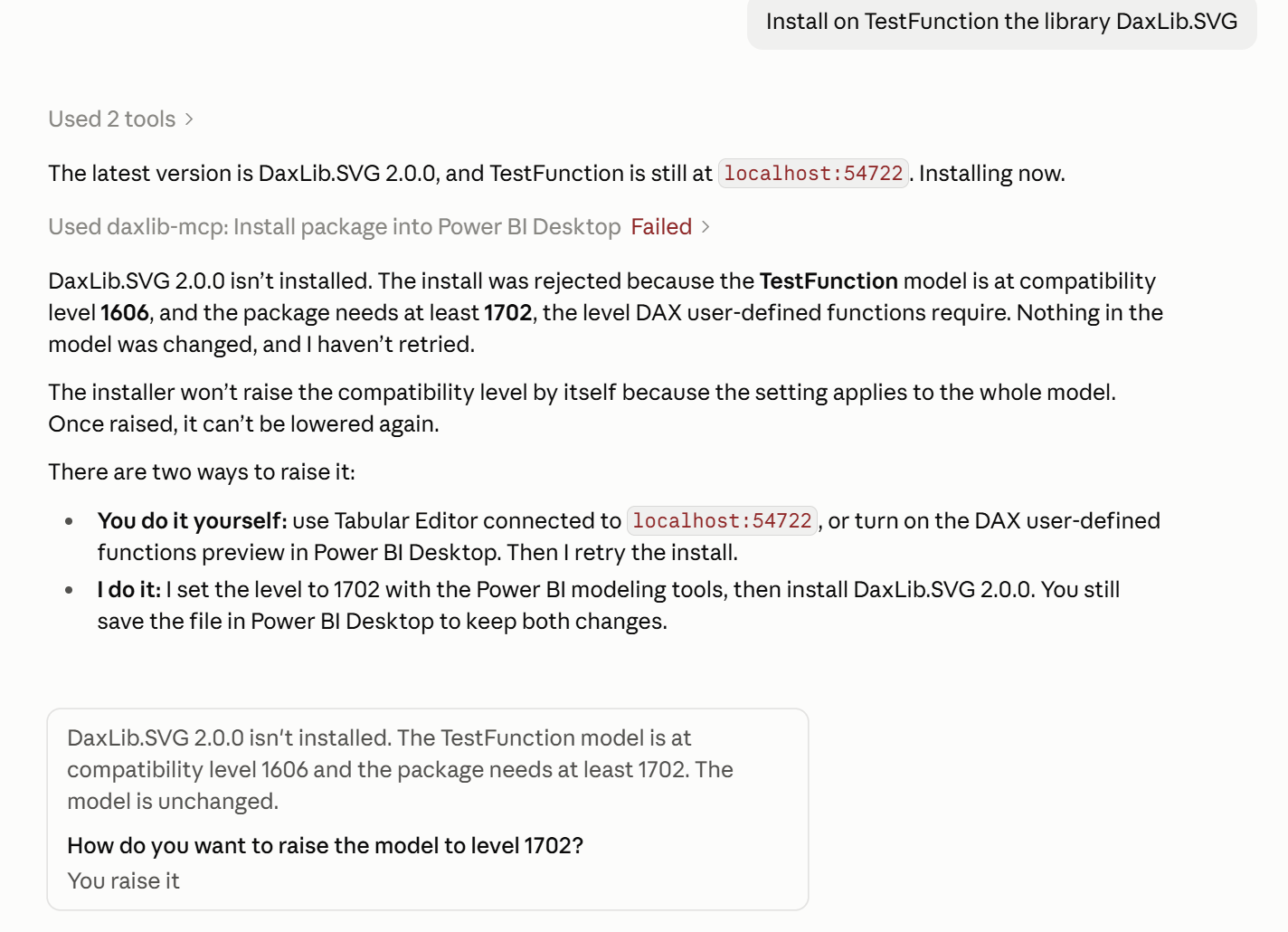
- install the functions of a package into a local model ("Install DaxLib.SVG into the Sales Report model").
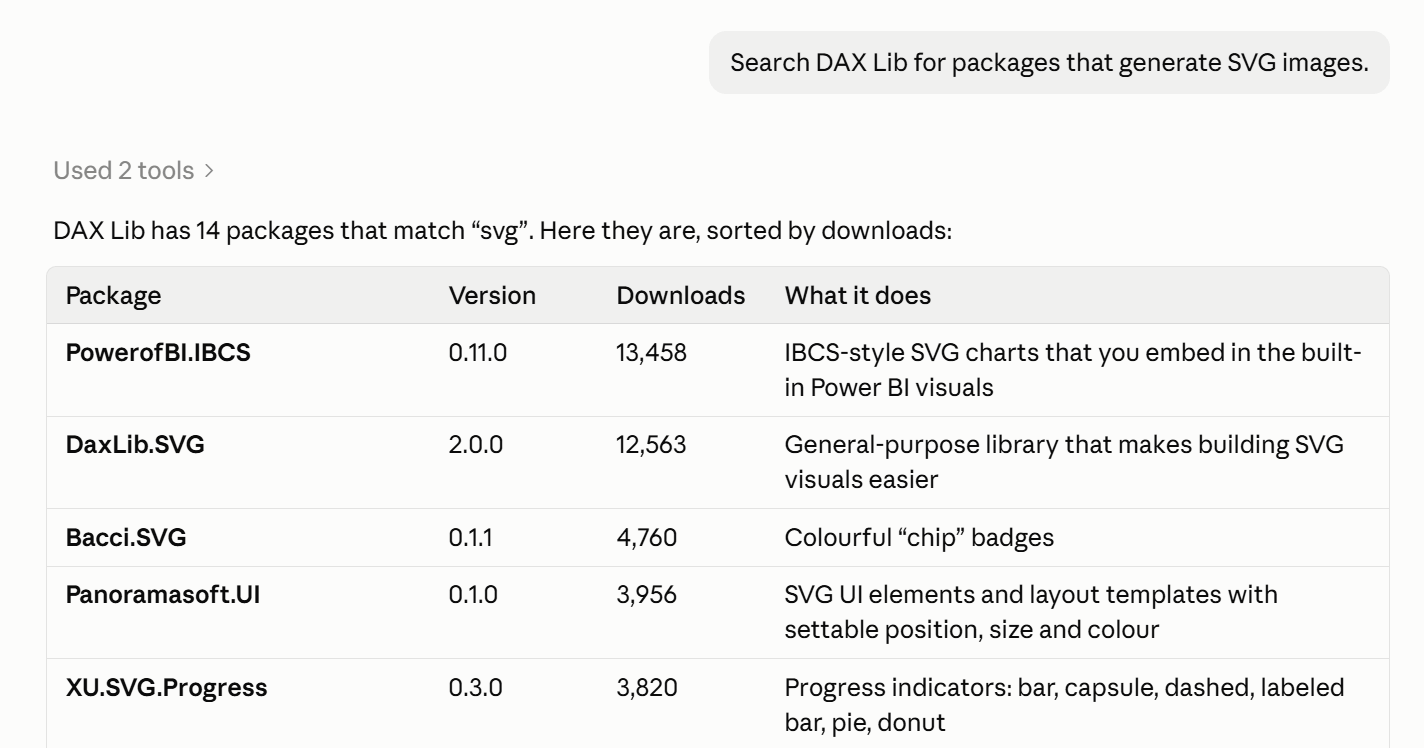
The MCP server downloads the package and writes the functions into the model directly, so you get the original code (including format and comments) and not a version retyped by a language model.
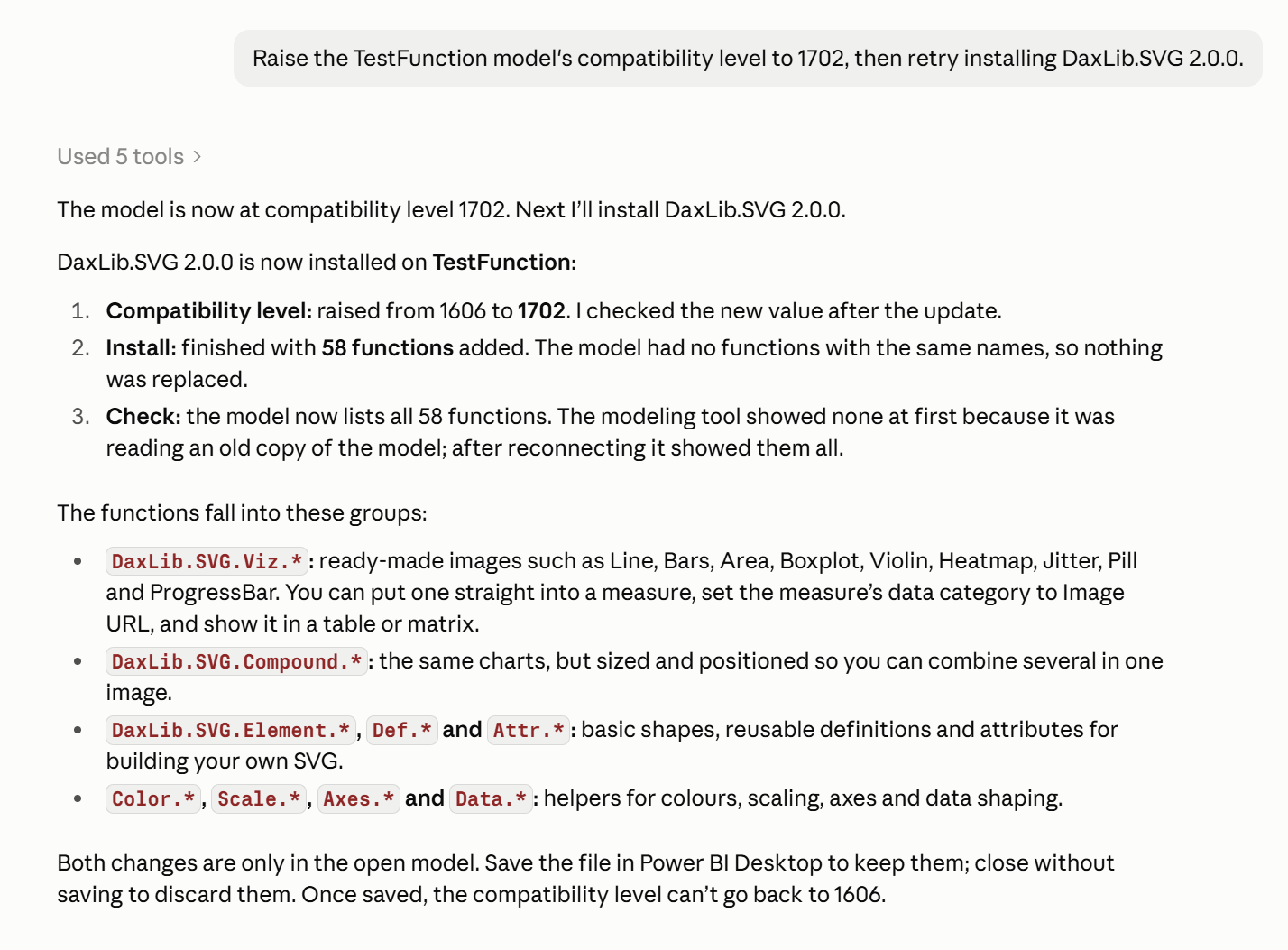
The installation adds the user-defined functions of the package to the semantic model. If a function with the same name already exists, it is replaced, without changing anything else in the model. The MCP server does not save your file after you import a package; save it in Power BI Desktop to keep the changes.
You stay in control
You choose the package, the version, and the target model. The assistant follows your instructions and doesn’t choose a package for you. The install tool is marked as a tool that changes data, so most MCP clients ask for your approval before they run it. Read the request before you approve it.
About privacy: the MCP server has no telemetry and does not collect usage data. It only invokes the DAX Lib API to search the catalog and to download package details, READMEs, and packages. The server is open source under the MIT license, so you can verify all these statements in the code on GitHub: daxlib/daxlib-mcp.
Limits you should know
The DAX Lib MCP server has a few limits:
- It runs on Windows x64 only. No macOS plans at this time; if you need it, open a GitHub issue.
- It installs only into models open in Power BI Desktop on the same computer.
- The model needs compatibility level 1702 or higher, required for user-defined functions. The DAX Lib MCP server doesn't change it for you, but the Power BI Authoring MCP server (if installed) can raise it.
- It does not remove or update existing functions. To update a package, just install the new version.
- If you do not specify a version of a package, you get the latest published one, which can be a prerelease.
How to start
You need Windows x64, Node.js 18 or later, and an MCP client. Follow the installation instructions and start looking for function libraries that can help your models and your reports.
We suggest using the Power BI Authoring MCP server to move from "is there a library for this?" to "write the measure" in the same conversation by using both MCP servers.
DAX Lib is a community project, and SQLBI supports it by developing and maintaining its infrastructure and tools. The MCP server is one more of those tools.
There are no more excuses to include user-defined functions in your semantic models: try DAX Lib with your assistant and write your feedback if you have suggestions or find bugs.